Backlink opportunities: who links to your competitors but not to you
How to use Miraqo's Backlink opportunities to find the sites that link to your competitors but not to your domain, sorted by authority, with the competitor each one points to.
Backlink opportunities compares your domain with up to 5 competitors and gives you the list of sites that link to at least one of them but not to you. They are the easiest contacts for a link building campaign: these sites have already shown they link to businesses like yours.
Like Competitor analysis, the tool is not tied to a project: you can compare any two domains, even for a client you don’t have in Miraqo yet.
How to run a search
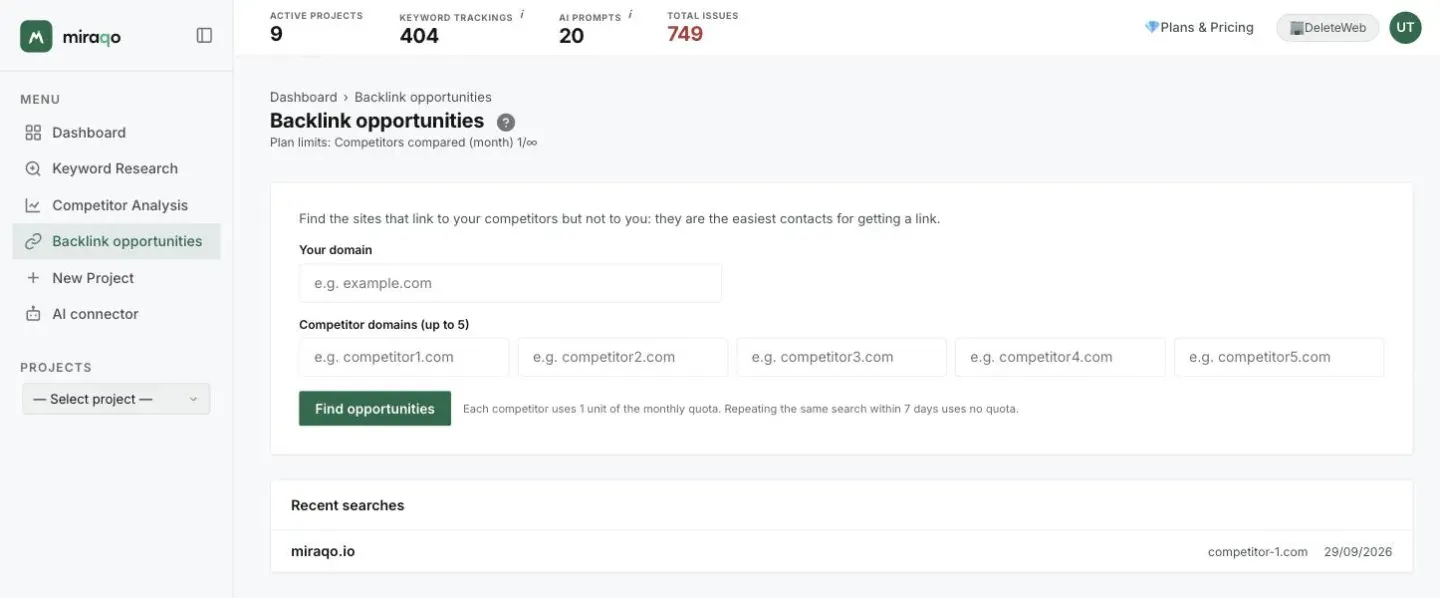
- Open Backlink opportunities from the sidebar.
- Enter your domain, without
https://orwww.(e.g.example.com). - Enter the domains of 1 to 5 competitors, one per field (e.g.
competitor1.com). - Click Find opportunities. The search takes about ten seconds.
How to read the table
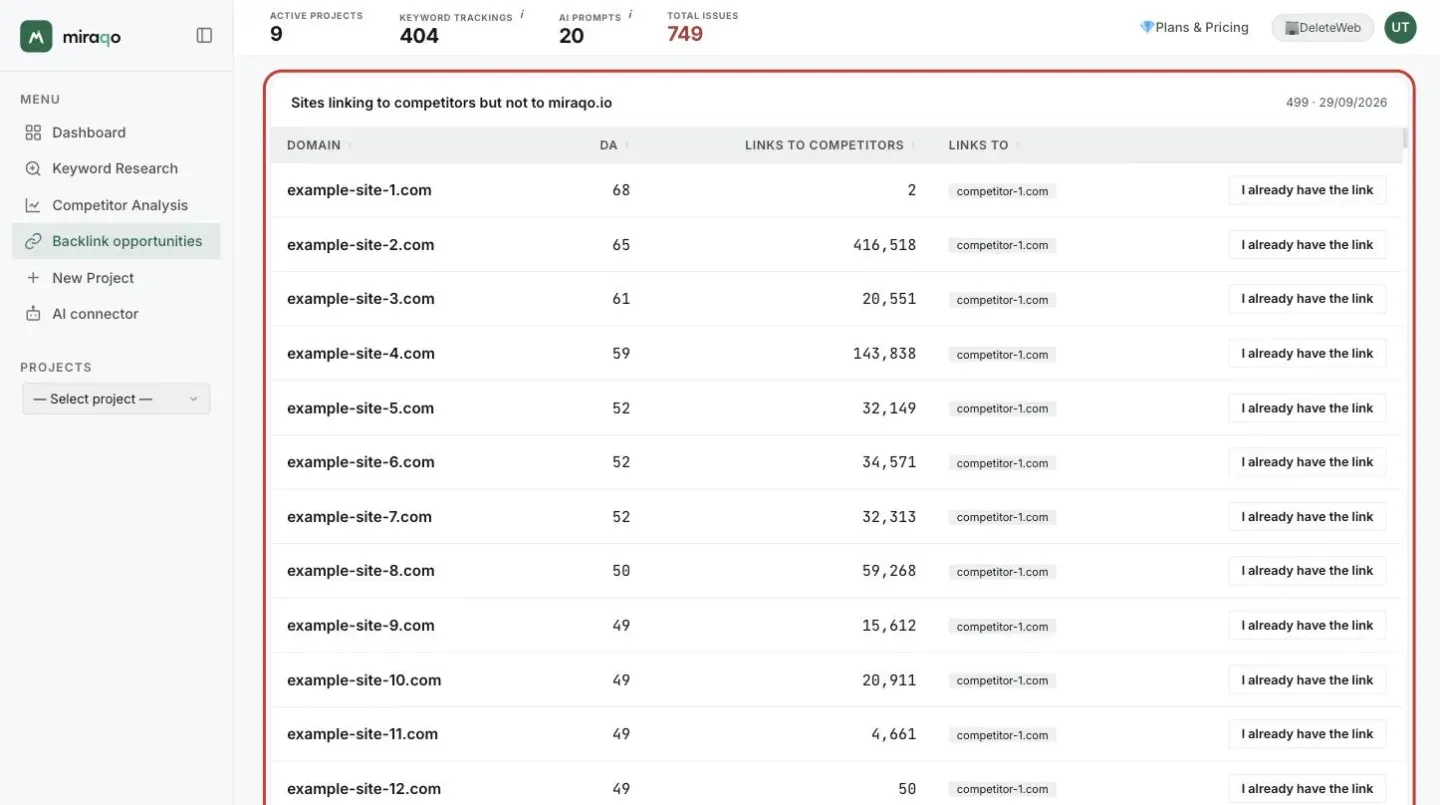
Each row is a site that links to the competitors but not to you:
- Domain: the site to contact. Clicking it opens it in a new tab.
- DA: the domain authority, from 0 to 100. The higher it is, the more the link is worth.
- Links to competitors: how many links that site gives to the competitors you entered.
- Links to: which competitors it points to.
The table shows up to 500 sites. At the top are the ones linking to several competitors at once, then the rest by authority. A site that links to three of your competitors is the best candidate: it already covers your industry and would probably link to you too. You can re-sort the table by clicking the headers.
If a site already links to you
Link data updates with a delay of a few weeks, and some links (for example those in company profiles loaded with JavaScript) may never be detected. If you find a site in the list that already links to you, click I already have the link on its row: it disappears from this search and from all future ones for the same domain, with no quota used.
Hidden sites stay in the Hidden section at the bottom of the table, where you can use Put back in the list.
Quota and cache
- Each competitor compared uses 1 unit of the monthly quota: a search with 3 competitors uses 3.
- Repeating the same search (same domain, same competitors) within 7 days shows the saved result and uses no quota.
- If data for a competitor doesn’t come back, that competitor isn’t counted. Running the search again recovers it.
- The quota resets on the first of the month.
| Plan | Competitors per month |
|---|---|
| Solo | not included |
| Starter | 10 |
| Pro | 40 |
| Agency | 100 |
Your searches stay in the Recent searches list at the bottom of the page.
What to do with the list
- Start with the sites that link to the most competitors and have a high DA.
- Open the site and find the page that links to the competitor: see what kind of content it is (a directory, an article, a supplier list, a trade association).
- Offer a concrete reason to link to you too: a data point, a resource, a partnership. To see the individual pages linking to a competitor, use the Backlinks tab of Competitor analysis.
Last updated: 29 September 2026