Topical Cluster — site architecture
How to read the thematic cluster map and internal link graph of the site — structural health KPIs, cluster table with pillar page, internal link simulator (what-if on PageRank), actionable Action Plan (missing links with AI semantic bridges, topics to cover, reciprocal links between clusters), structural anomalies, AI cluster refinement and PDF/CSV export. Available from audits run with the internal crawler.
Topical Cluster shows how your site is organised by topics: it groups pages into thematic clusters, identifies the pillar page for each one (the cornerstone content) and draws the internal link graph. It helps you understand whether the silo structure is solid, where internal authority isn’t flowing and what content is missing.
Reach it from the project → sidebar Site Audit → Topical Cluster group (or from the SEO Audit page, it’s the ?tab=architettura view).
Where data comes from. Topical Cluster is generated only from audits run with Miraqo’s internal crawler. If you see “Architecture not yet available”, start a new SEO audit: the map populates at the end of the scan.
How clusters are built
Miraqo doesn’t yet read the content of pages: the base partition is structural.
- Only editorial links in the body of the page are counted. Menus, headers, footers and sidebars (boilerplate) are excluded from metrics, because they’re repeated everywhere and don’t express thematic relationships.
- Clusters are derived from the internal link structure (pillar-first approach): highly linked hub pages become pillars, and every other page enters the cluster of the pillar it’s most connected to.
- The pillar page is chosen with a composite score (hub of incoming/outgoing links + text length + H2/H3 structure), excluding taxonomies and institutional pages (about us, contacts…).
- If the site has a real hierarchical navigation menu, clusters become the silos declared in the menu (the strongest architecture signal): pages are assigned to the silo by the URL of the menu item, the breadcrumb or the category. Breadcrumbs are read from JSON-LD, microdata/RDFa and HTML; on a multilingual site each language’s menu is read separately.
- It works with any CMS or framework that serves HTML from the server: WordPress, Shopify, PrestaShop, Magento, Webflow, static sites, Next/Nuxt with SSR… The crawler doesn’t depend on the CMS: it reads the page the way Google sees it on the first pass.
It’s a heuristic structural indicator, not a semantic content analysis. For the semantic leap there’s the AI refinement (below).
Refine clusters with AI
At the top you’ll find Refine clusters with AI. Starting from the structural partition, a language model reclassifies pages by actual topic using titles, slugs and anchors of incoming links (it doesn’t read page bodies):
- merges sub-topics into the parent topic and extracts silos that the threshold method had absorbed;
- isolates non-editorial pages (contacts, portfolio…) in the Service cluster;
- enables two outputs that aren’t available without AI: the “Cover the missing topics” suggestions and Cannibalization within the cluster.
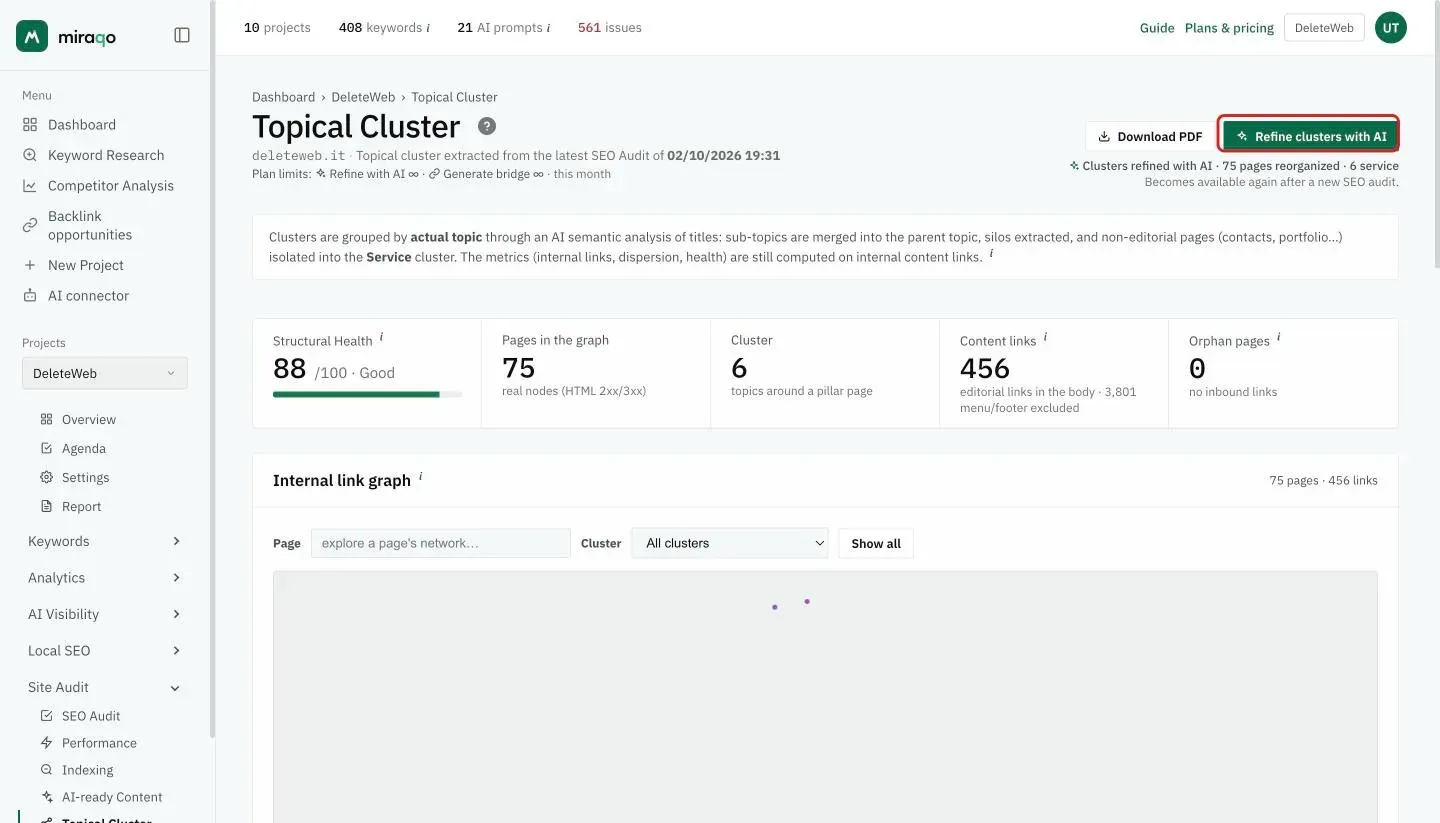
One refinement per audit, within the monthly budget. To contain costs, the AI is launched once per audit: the button reactivates with the next SEO audit. There’s also a monthly budget of refinements tied to the plan — Solo 4, Starter 13, Pro 40, Agency 200 per month — because each refinement is a paid AI call. The action requires the same permission as Start audit (see User permissions). When silos come from the menu, the AI does not re-group pages already assigned by the author: it only classifies service pages and flags cannibalisation.
The 5 KPIs at the top
| KPI | What it measures |
|---|---|
| Structural Health (0–100) | Heuristic average of cluster health: internal link completeness, dispersion, orphan pages, click depth. ≥70 good, 40–69 needs work, <40 critical. Doesn’t measure semantic relevance. |
| Pages in the graph | Real nodes (2xx/3xx HTML pages). |
| Clusters | Number of topics, each around a pillar page. |
| Content links | Editorial internal links (body). In the details see how many menu/footer links were excluded. |
| Orphan pages | Real pages with no incoming internal link: hard to reach. |
Internal link graph
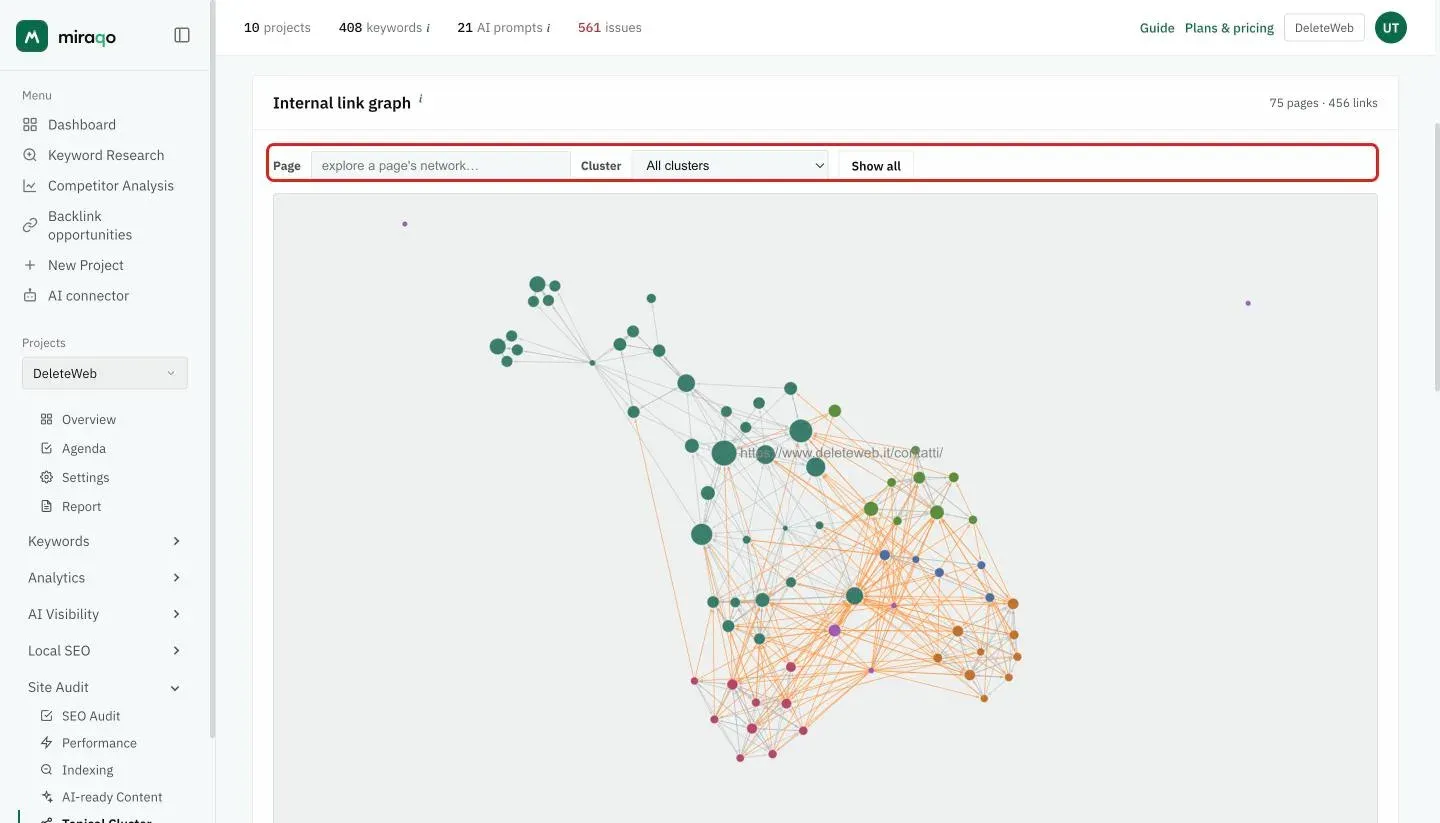
Each node is a page, each edge an internal link. Node size is proportional to internal PageRank; colour indicates the cluster.
- Click a node to isolate its network (the page + those directly connected).
- Use the Cluster menu to see one cluster at a time, or the Page box to explore the network of a specific page.
- Drag to pan, scroll wheel to zoom. Show all (or click the background) returns to the full view.
- Yellow edges connect different clusters; red ones are broken internal links.
Internal link simulator
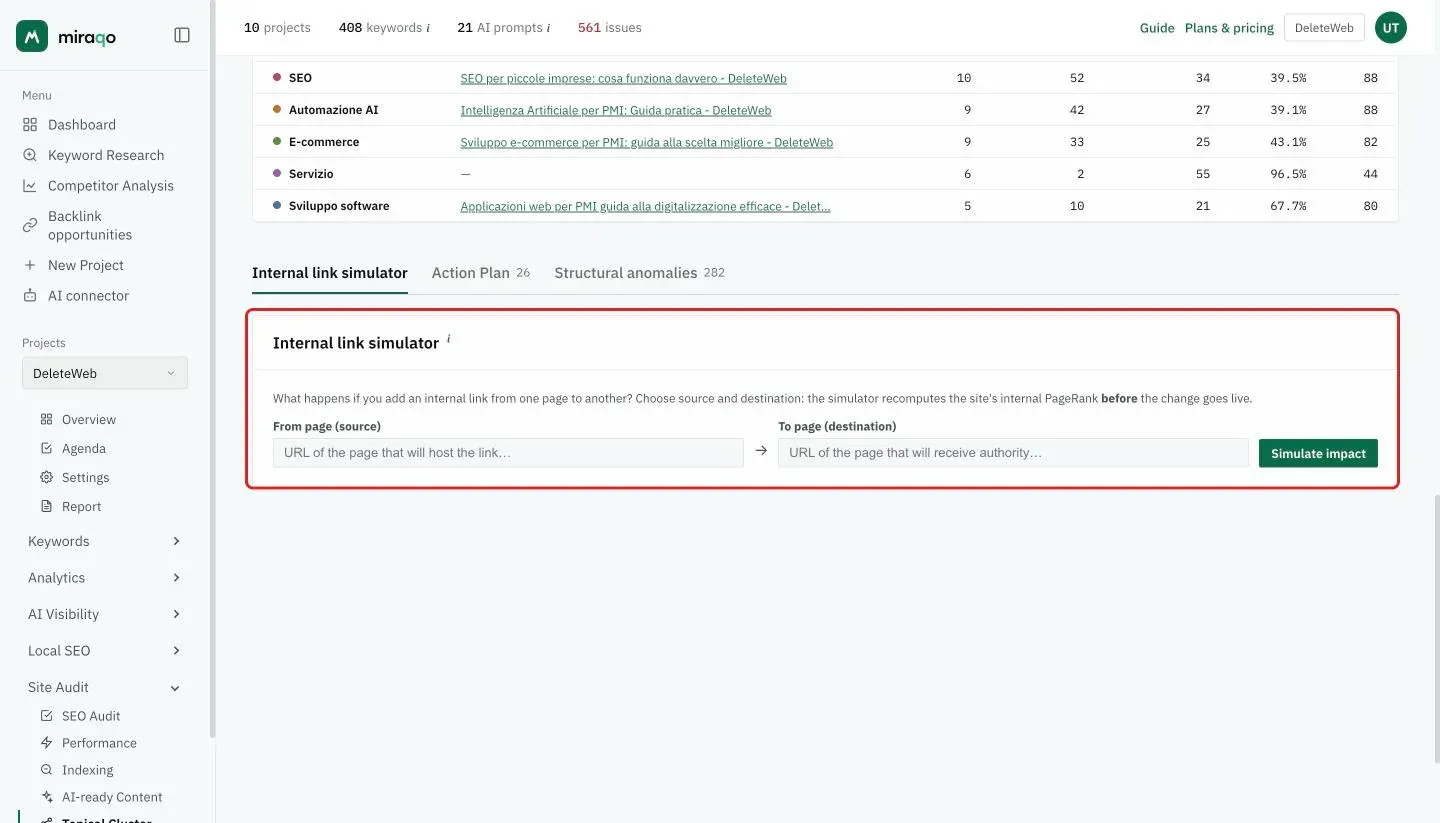
Below the clusters table there are three tabs, each with its number of items: Internal link simulator, Action Plan and Structural anomalies. The Simulator is a what-if sandbox: it tells you what happens to internal PageRank if you add a link from one page to another, before actually publishing it.
- Choose the source page (where the link comes from) and the destination, then press Simulate impact.
- The simulator virtually adds the link and recalculates the internal PageRank of all pages, showing the destination’s authority share before/after, its internal position and the pages that are diluted by the new link. Shares are percentages of the site’s internal authority (the sum across all pages equals 100).
- It also proposes the 3 most effective alternative sources: the authoritative pages of the same topic that don’t yet link to the destination (institutional pages excluded).
It’s a structural estimate based solely on content links from the last audit: it’s not Google’s ranking and doesn’t include external links. It’s read-only, has no cost and doesn’t touch the site.
Cluster table
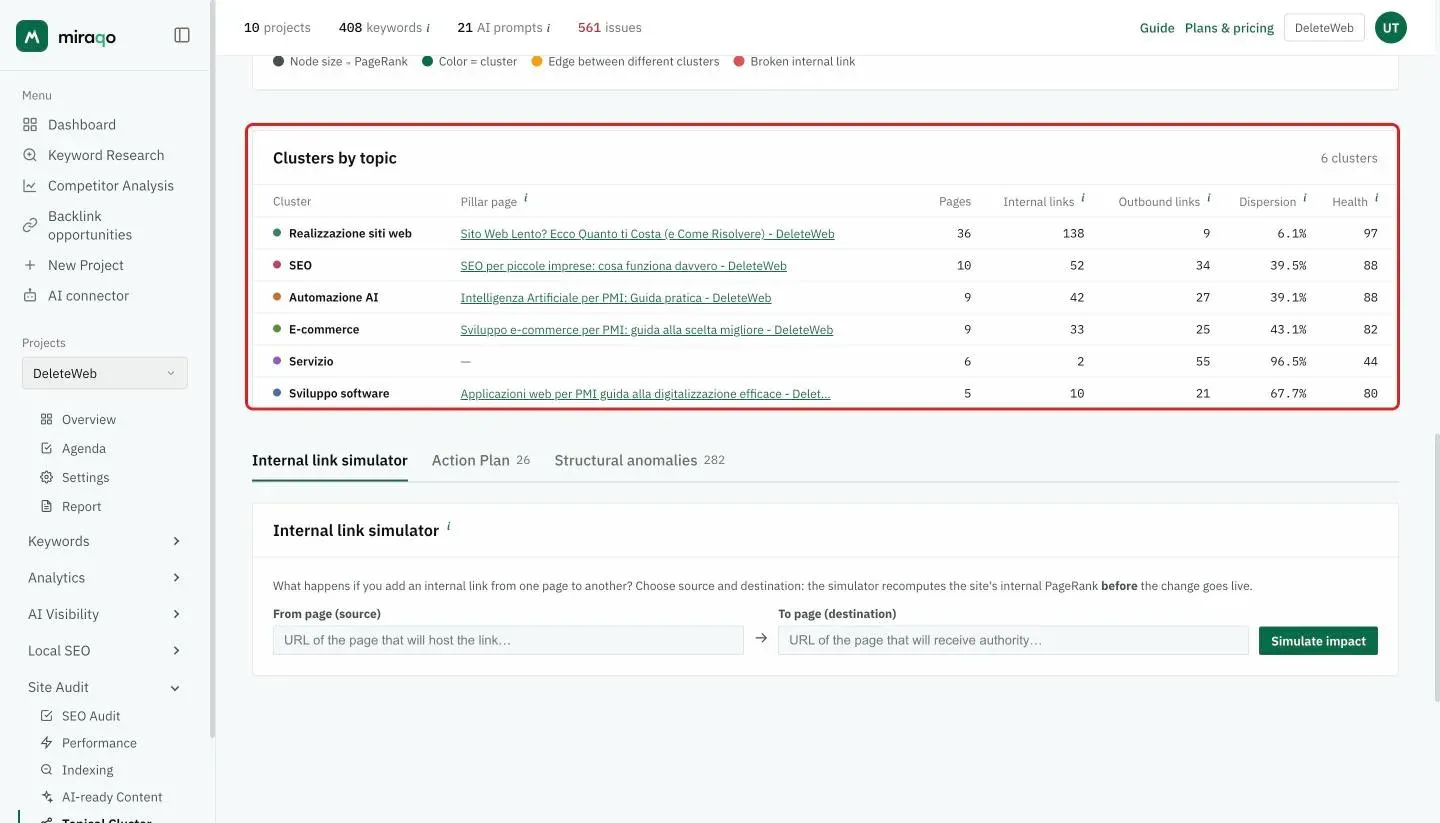
One row per cluster. When AI refinement is active the header becomes “Clusters by topic”, otherwise “Structural clusters”.
| Column | What it is |
|---|---|
| Cluster | Topic name (clickable: isolates it in the graph). |
| Pillar page | The cluster’s cornerstone. Each cluster has one; (no cluster) has none. |
| Pages | How many pages belong to the cluster. |
| Internal links | Links between pages of the same cluster (intra-cluster). |
| Outbound links | Links from the cluster pointing to other clusters. |
| Dispersion (SCCI) | % of links leaving the cluster. High = poorly cohesive cluster, dispersing authority. |
| Health | Structural health of the individual cluster (0–100). |
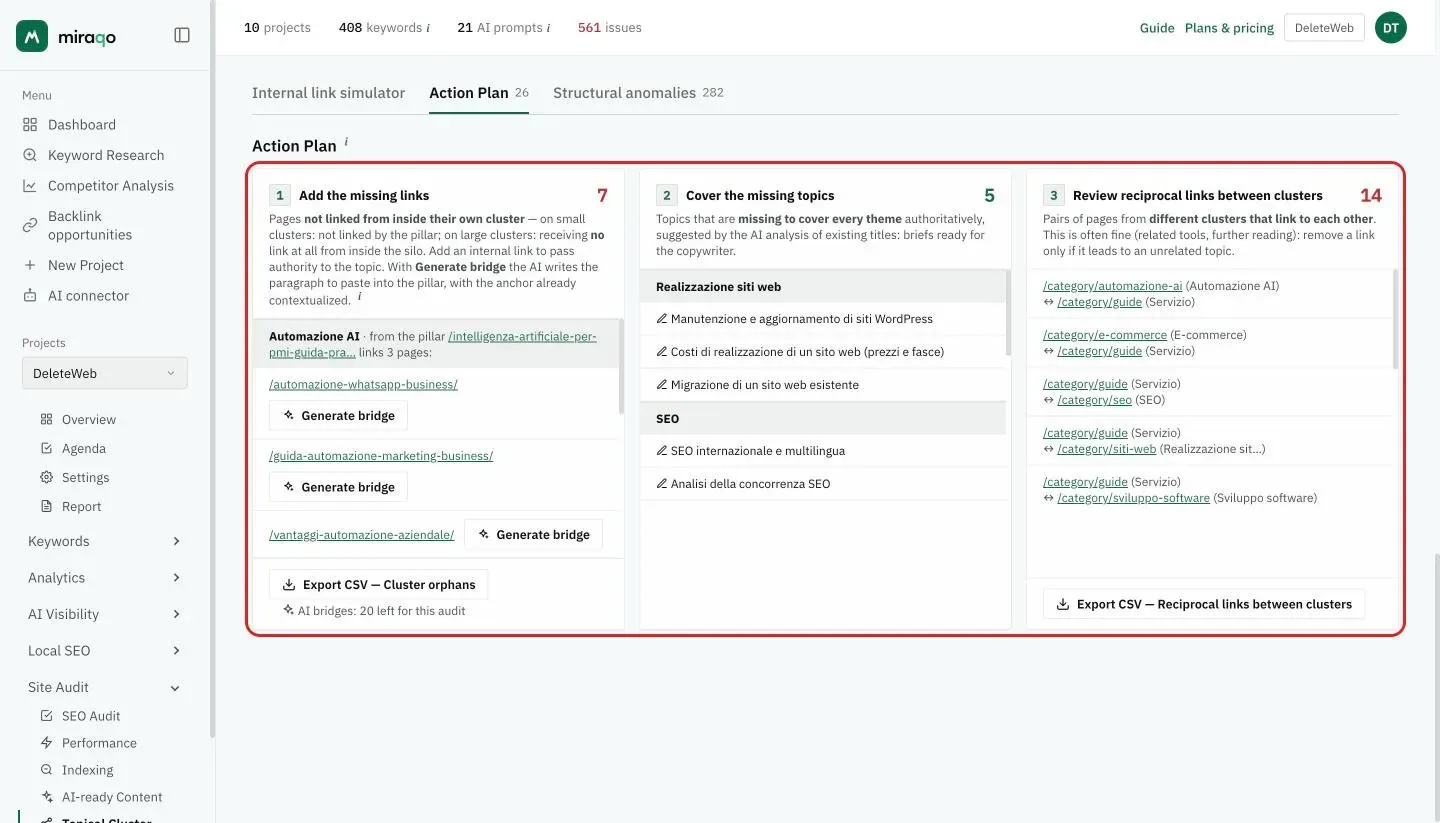
Action Plan
Three actions ready to hand off to whoever writes or optimises content. Each list is exportable to CSV.
- Add the missing links — pages that their cluster’s pillar doesn’t link to: add an internal link from the pillar to distribute authority to the topic. With Generate bridge the AI writes the paragraph to paste into the pillar, already in the page’s tone and with the descriptive anchor toward the orphan page (reads content excerpts saved during the crawl). Generated one pair at a time; each bridge stays saved on the audit — clicking it again doesn’t consume new generations — and there are two limits: a per-audit cap (which resets with the next SEO audit) and a plan’s monthly budget, as each bridge is a paid AI call — Solo 10, Starter 30, Pro 100, Agency 500 per month. (CSV: Cluster orphans.)
- Cover the missing topics — topics missing to cover a cluster authoritatively, with briefs ready for the copywriter. Available after AI refinement.
- Review reciprocal links between clusters — pairs of pages from different clusters that link to each other. This is often fine (related tools, further reading): remove a link only if it leads to an unrelated topic. (CSV: Reciprocal links between clusters.)
Structural anomalies
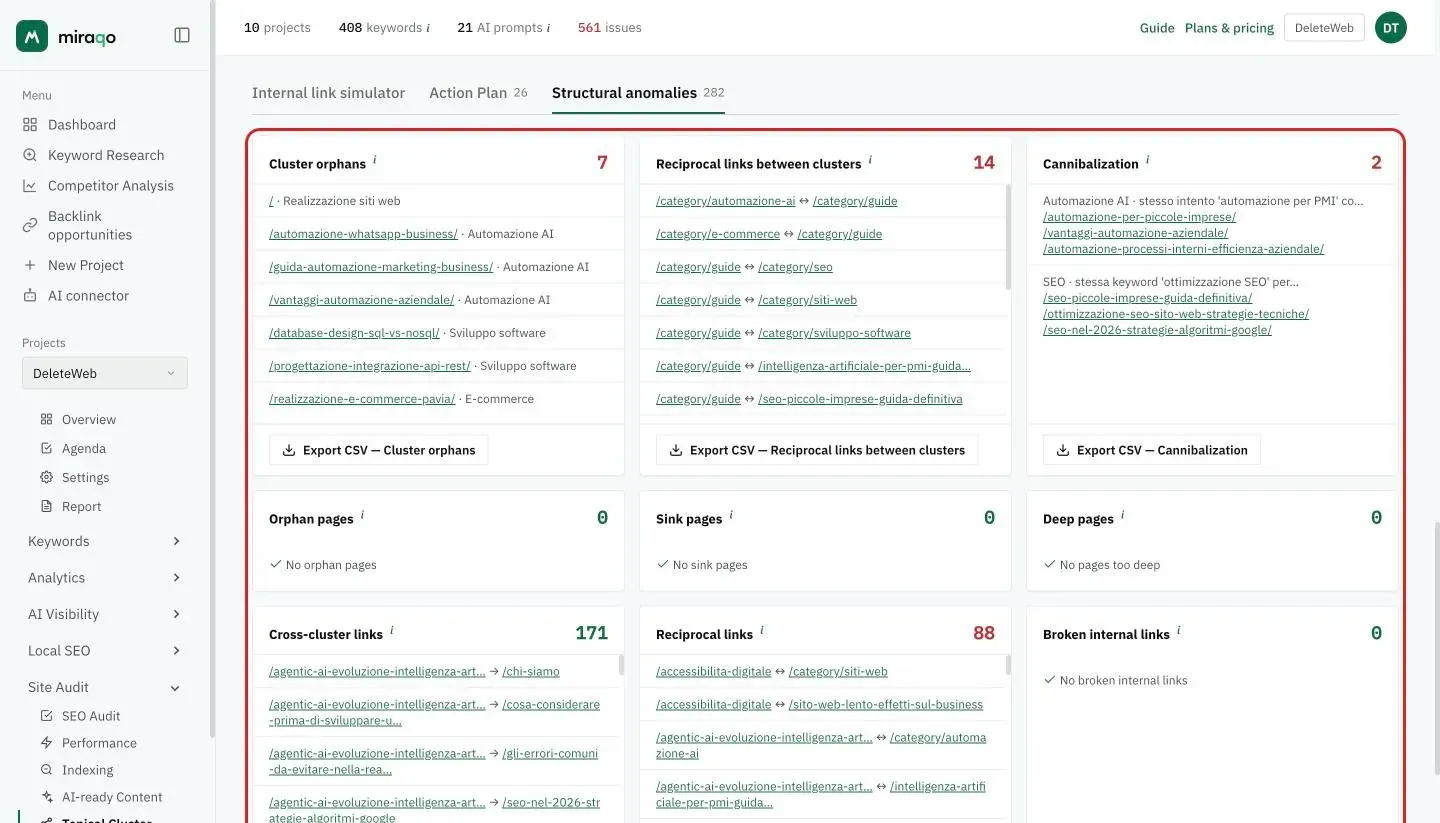
One card per issue; the most serious ones have CSV export.
- Cluster orphans — belong to a cluster but receive no link from the pillar (different from global orphans).
- Reciprocal links between clusters — A↔B pairs from different clusters that link to each other: often fine, it only matters when the link goes off-topic.
- Cannibalization — two pages in the same cluster competing for the same keyword. (AI signal.)
- Orphan pages — no incoming internal link.
- Sink pages — many incoming links, none outgoing: they retain authority without redistributing it.
- Deep pages — reachable only with more than 3 clicks from the home page.
- Cross-cluster links / Reciprocal links — connections that cross topics or A↔B pairs.
- Broken internal links — links to pages in error (4xx/5xx).
Exporting the report
- Download PDF at the top: exports the current view (AI-refined if present), ready to deliver to the client.
- The Export CSV buttons on the cards (Action Plan and Anomalies) download the complete lists, beyond the rows shown on screen.
Notes and limits
- “Not measurable” instead of a score: if the site has no editorial links in the body of its pages (every link lives in the menu or footer), the Structural Health score is not shown — a number computed on nothing would be a lie. It’s not an error: it means there is no internal link structure to measure yet, and building one is the first job on that site.
- JavaScript-generated sites (SPA): the crawler reads the HTML served by the server and does not execute JavaScript. A Vue/React/Angular site in client-side mode appears almost empty, and the report flags it with a warning instead of showing unreliable numbers. The same framework with SSR or SSG (Nuxt, Next…) works normally.
- Menus without lists: declared silos are read from menus built with lists (
<ul>), even without recognisable CSS classes. The rare menus made only of<div>s cannot be read as silos: in that case the link-based method is used automatically. - The map updates with each new audit with the internal crawler; there’s no independent refresh.
- Semantic bridges (Generate bridge) use content excerpts saved at crawl time: they activate from audits run after the feature was introduced. If the button doesn’t appear, run a new SEO audit.
- On very large graphs the visualisation may be limited (metrics remain complete).
- Single e-commerce product pages are never chosen as pillars and never name a cluster: commercial silos form around categories. Utility pages (cart, wishlist, privacy, pricing pages with Product markup) are also kept out of the pillar role.
- On a multilingual site the Topical Cluster recognises each page’s language and computes clusters, pillars and metrics language by language: the Language switcher above the map moves between them (or to All languages) and also applies to CSV and PDF. Translations inherit the topic of the main-language page, and links to translations don’t count as reciprocal links between clusters. Details and cases (domains, folders, subdomains) in Auditing a multilingual site.
- Access to the section depends on the member’s Topical Cluster permission (see User permissions).
See also:
- Run your first SEO audit → — Topical Cluster starts here
- Audit settings → — max pages, URL prefixes and scheduling
- User permissions → — who can view and who can refine with AI
Last updated: 18 October 2026