Audit blocked by Cloudflare or a firewall
The audit returns zero pages or an access error because a firewall (e.g. Cloudflare) is blocking Miraqo's crawler. Here's how to authorise it in a few minutes.
If the audit completes with “0 pages crawled” or reports that the site is unreachable, but the site works normally in a browser, the cause is almost always a firewall or anti-bot system (typically Cloudflare) blocking external crawlers before they even reach your pages.
The solution is to authorise Miraqo’s crawler. The crawler identifies itself with a dedicated user-agent:
MiraqoAuditBotThere’s no need to open the site to all bots: just allow this specific user-agent. Whitelisting by user-agent is more stable than authorising individual IP addresses, which can change over time.
Unblocking on Cloudflare (recommended)
You need two things: a security rule that authorises the crawler and deactivating Bot Fight Mode.
1. Create the security rule
-
Log into your Cloudflare dashboard and select your domain.
-
In the left menu open Security → Security rules.
-
In the Custom rules section click + Create rule.
-
Rule name: any name, e.g.
Miraqo Audit. -
Under When incoming requests match… set:
- Field:
User-Agent - Operator:
Contains - Value:
MiraqoAuditBot
The expression preview becomes
(http.user_agent contains "MiraqoAuditBot"). - Field:
-
Under Choose action select Skip.
-
Under WAF components to skip tick all entries:
- All remaining custom rules
- All rate limiting rules
- All managed rules
- All Super Bot Fight Mode rules
-
Save the rule.
2. Deactivate Bot Fight Mode
On Cloudflare’s free plan the rule above cannot bypass the basic Bot Fight Mode, so it needs to be deactivated separately:
- Open Security → Settings.
- Find Bot Fight Mode and toggle it to off (disabled).
You can re-enable Bot Fight Mode once the audit is complete. On paid plans, Super Bot Fight Mode is handled directly by the rule (step 1.7) and nothing else needs to be disabled.
After saving the rule, return to Miraqo and re-run the audit: the crawler will be let through.
Other firewalls or WAFs
The principle is the same on any system (server firewall, CMS security plugin, hosting WAF): add an allow/whitelist rule for the user-agent MiraqoAuditBot.
- WordPress (Wordfence, iThemes, etc.): in the firewall settings add
MiraqoAuditBotto the allowed user-agents, or temporarily disable anti-bot mode during the audit. - Server firewall / .htaccess: if you have a rule that blocks non-browser user-agents, add an exception for
MiraqoAuditBot. - Rate limiting: if the site limits requests per IP, temporarily raise the threshold: the audit makes many requests in a short time.
Verification
- Save the authorisation rule.
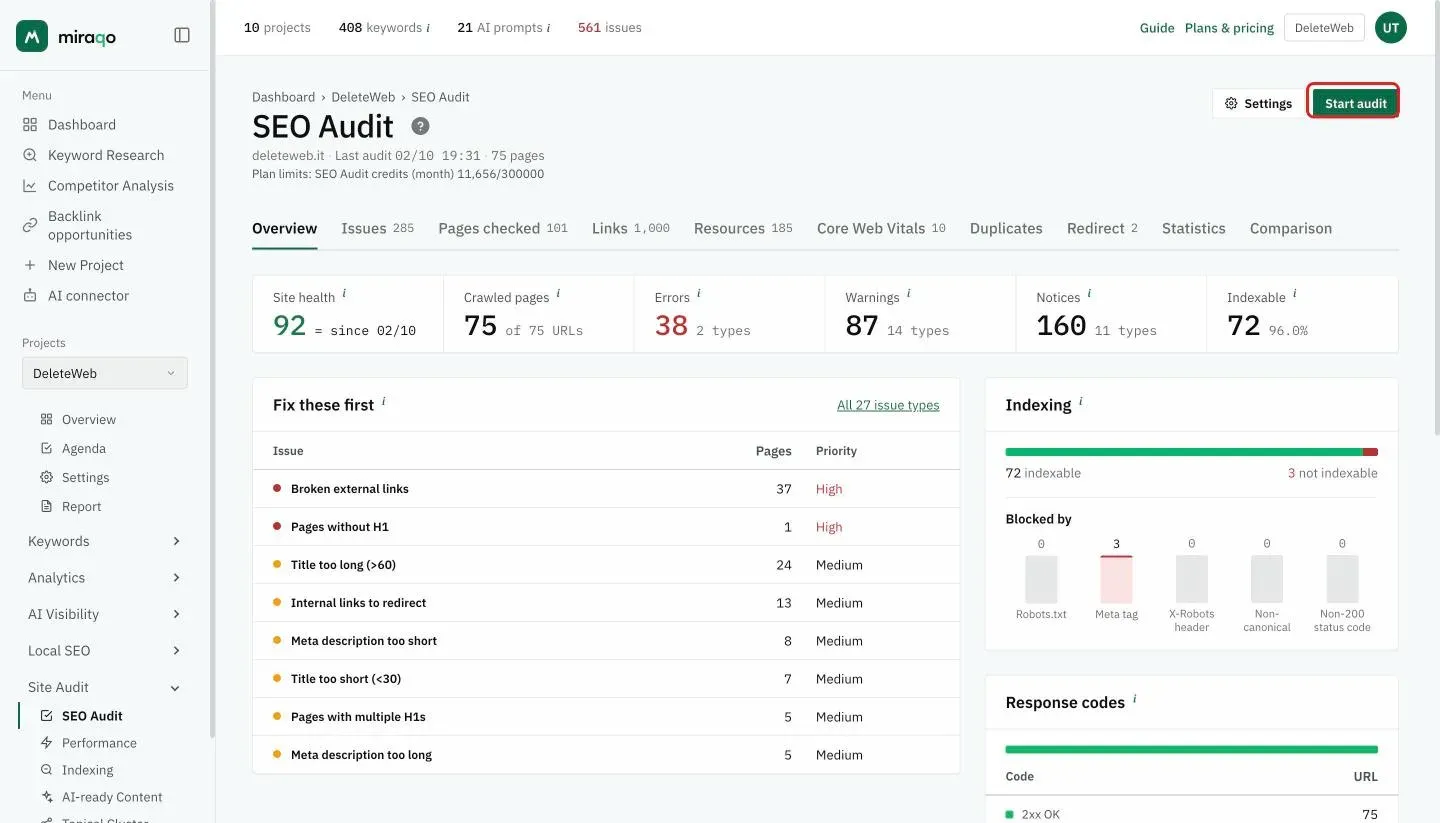
- In Miraqo open SEO Audit → Overview and click Start audit.
- Wait a few minutes: if the whitelist is correct, the report populates with the site’s pages.
If the audit still returns zero pages after the whitelist, verify that:
- the
robots.txtdoesn’t block the entire site (Disallow: /for all user-agents); - the domain responds correctly from outside (no geographic blocking or mandatory login on the entire site);
- there’s no challenge/CAPTCHA page shown to all non-logged-in visitors.
If in doubt, open a ticket from the in-app assistant: we’ll help identify what’s blocking the scan.
All unblocked? Return to Run your first SEO audit →
Last updated: 5 September 2026