Citations: where your listing appears, and where it doesn't
How Miraqo checks that your business name, address and phone number appear on the directories of your market, what the four statuses mean and what to do about them.
In local SEO a citation is any mention of your business on another site with name, address and phone number — what the trade calls NAP. Yellow-pages sites, Cylex, Hotfrog, trade directories. Google treats them as corroboration, and the reasoning behind it is simple: when ten sources that don’t know each other carry the same details, that listing describes a business which genuinely exists, whereas three different versions of the same number look more like a mistake than a company. The signal gets muddy. And you don’t notice, because nobody tells you.
The Citations page sits in the project sidebar under Local SEO, next to the Google Listing. It tells you, directory by directory, whether your business is there and whether the details match.
You need the Google listing first
A comparison needs a reference, and the reference is your Google Business Profile: name, phone, address or service areas. Without a connected listing the page can’t run, and the link to fix that sits right there. There’s a second reason to keep it tidy: everything you read here is measured against it, so a wrong number on the Google listing propagates into every row of this page and sends you chasing problems that don’t exist.
Running the analysis
Analyze citations starts a full pass. Every directory in your market is queried through its own internal search, not through Google, and the page updates itself as results land. A few checks go through external providers and can take a little longer: they show as Checking until they come back.
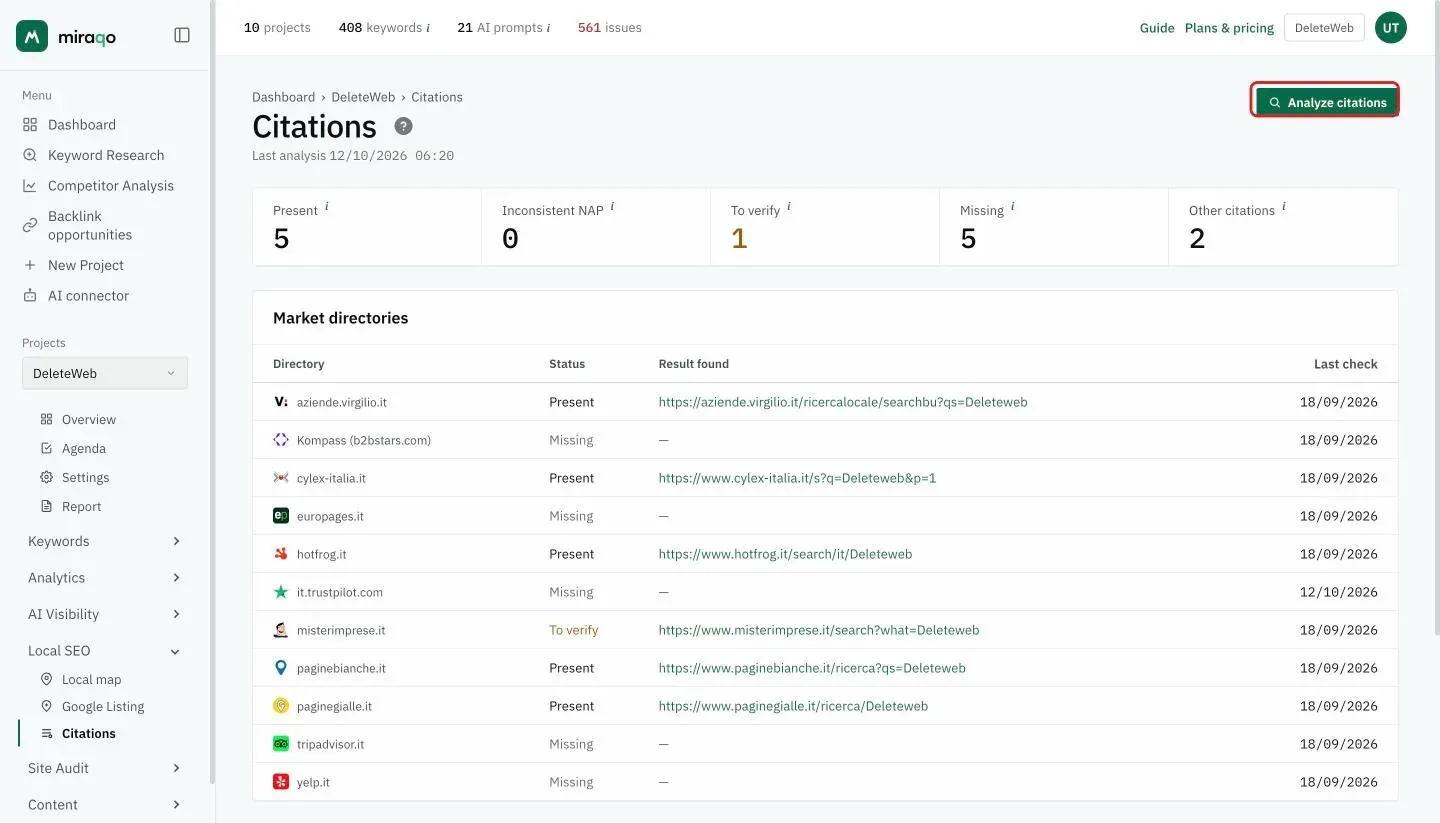
You can repeat the analysis once a week. That isn’t a technical limit but a sensible one: directories don’t change overnight, and a daily check would tell you the same thing while burning resources.
The four statuses
At the top of the page, four counters summarise the outcome: Present, Inconsistent NAP, To verify and Missing refer to the market directories (the first table); Other citations counts those found elsewhere, including sites that link to you (the second table). In the table, each directory has its own status and, when your business was found, the link to the result: the listing itself or the directory’s search page where you appear.
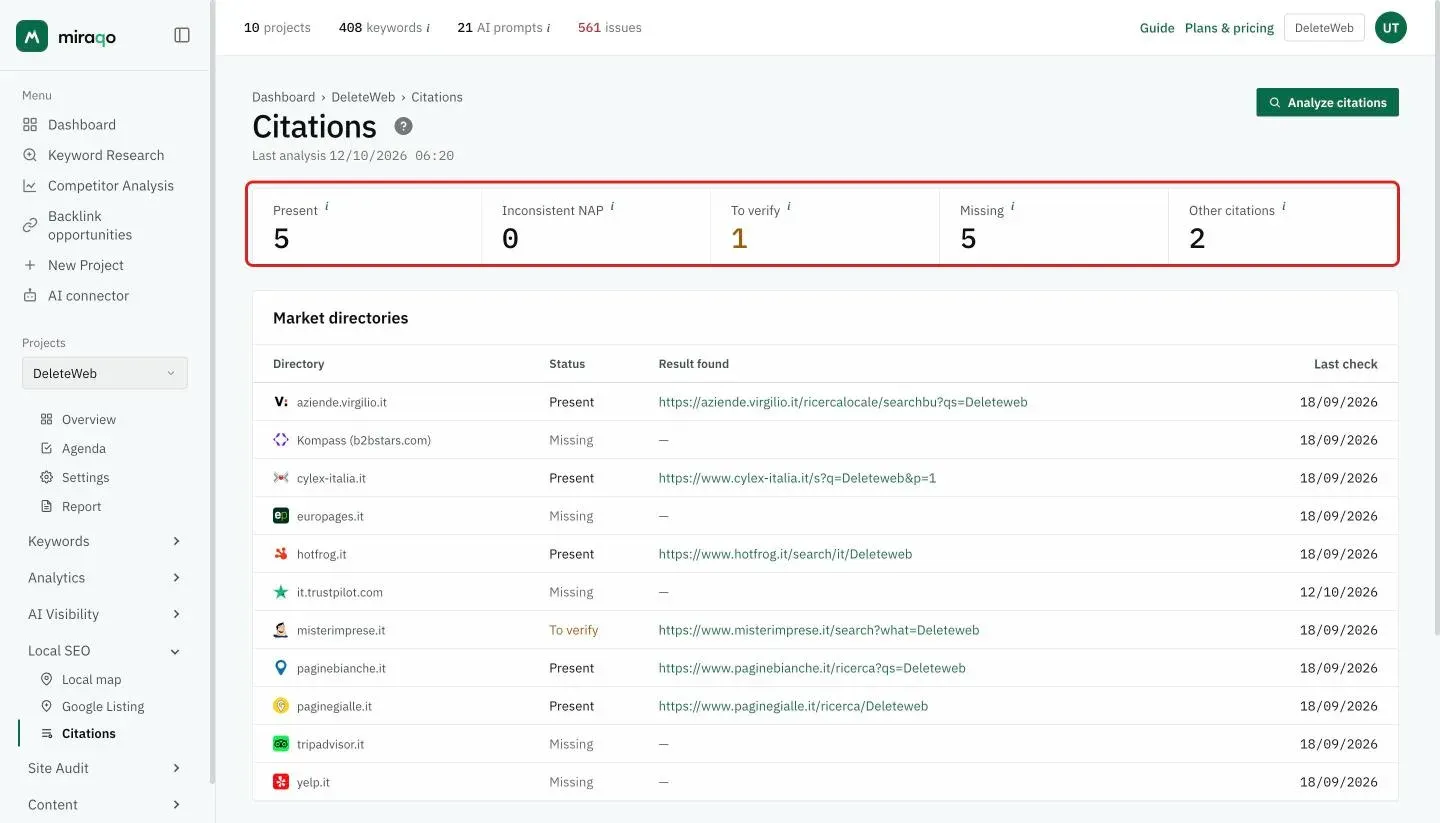
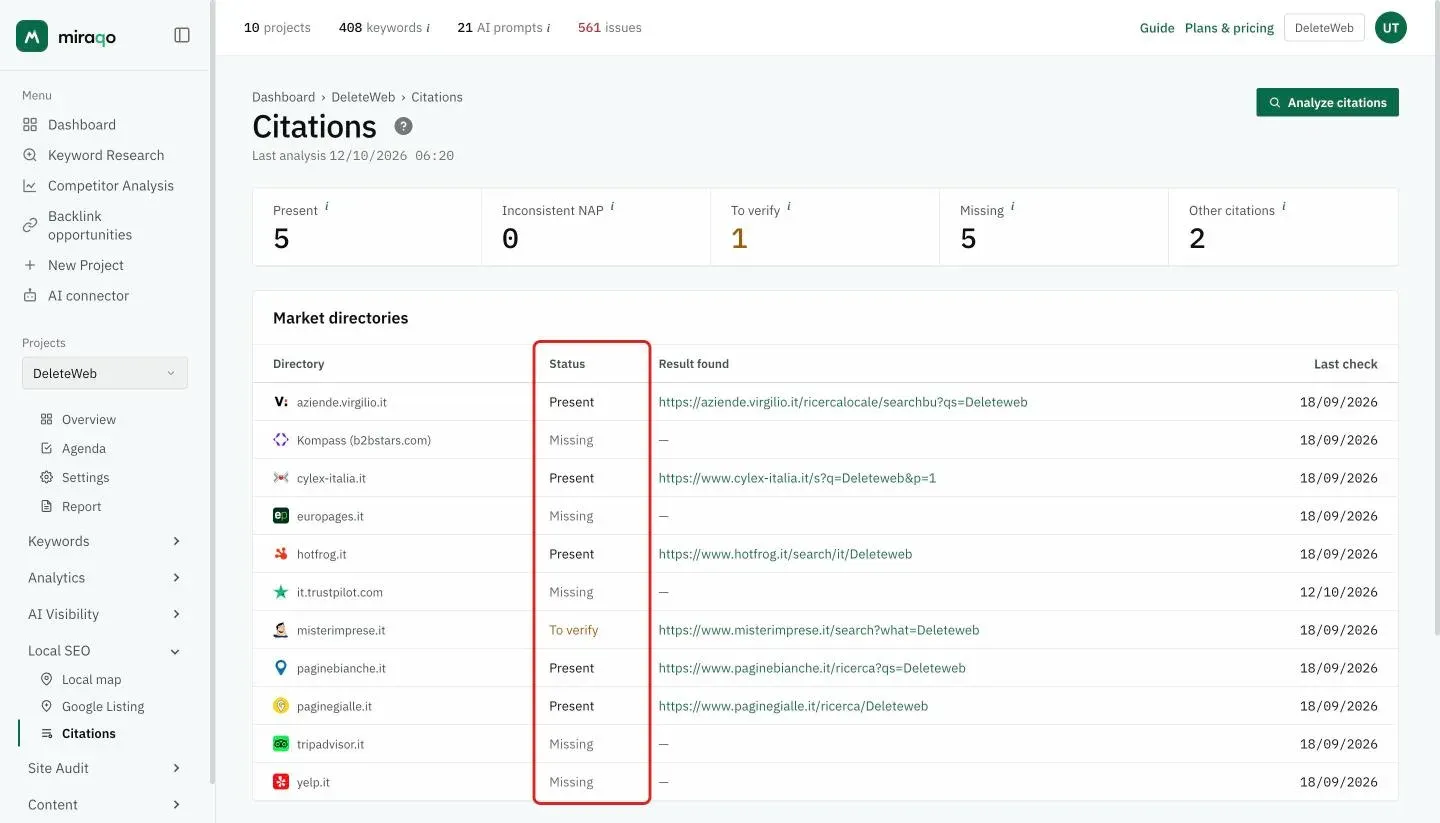
Present is the strongest verdict. The listing was found and the phone number on the page matches the one on your Google listing — name and number together, not one or the other.
Inconsistent NAP means the listing is there but the number is different. Look at these first: a customer dialling that number doesn’t reach you, and Google gets two contradictory versions of the same business.
To verify means we found a page that looks like yours without being able to confirm the phone number. Plenty of directories don’t show it in search results, keeping it inside the listing instead. The link takes you to the result found, so one click settles it. It’s neither an error nor half a win — it’s what can honestly be said from the outside.
Missing means that directory’s internal search returned nothing. Often that’s a real opportunity, since many directories let you add a business for free.
Two service statuses complete the picture. Checking is a verification still in flight. Unreachable appears when a directory refused the automated check: we’d rather say so than write “Missing”, which would be an invented answer.
The directory list follows the market
It changes with the project’s country. For Italy, Germany, France, Spain and the United Kingdom, Miraqo queries the national directories — PagineGialle and PagineBianche, GelbeSeiten, PagesJaunes, Páginas Amarillas, Yell — alongside the international ones. For every other market the global platforms remain: Trustpilot, TripAdvisor, Yelp, Kompass.
Trustpilot and TripAdvisor take a different route from the rest, since they’re indexed by domain and by location respectively. Further down the same page you’ll also find the reviews collected on those two platforms. They live here rather than on the Google Listing page because they answer the same question — how you look from the outside.
Other citations found
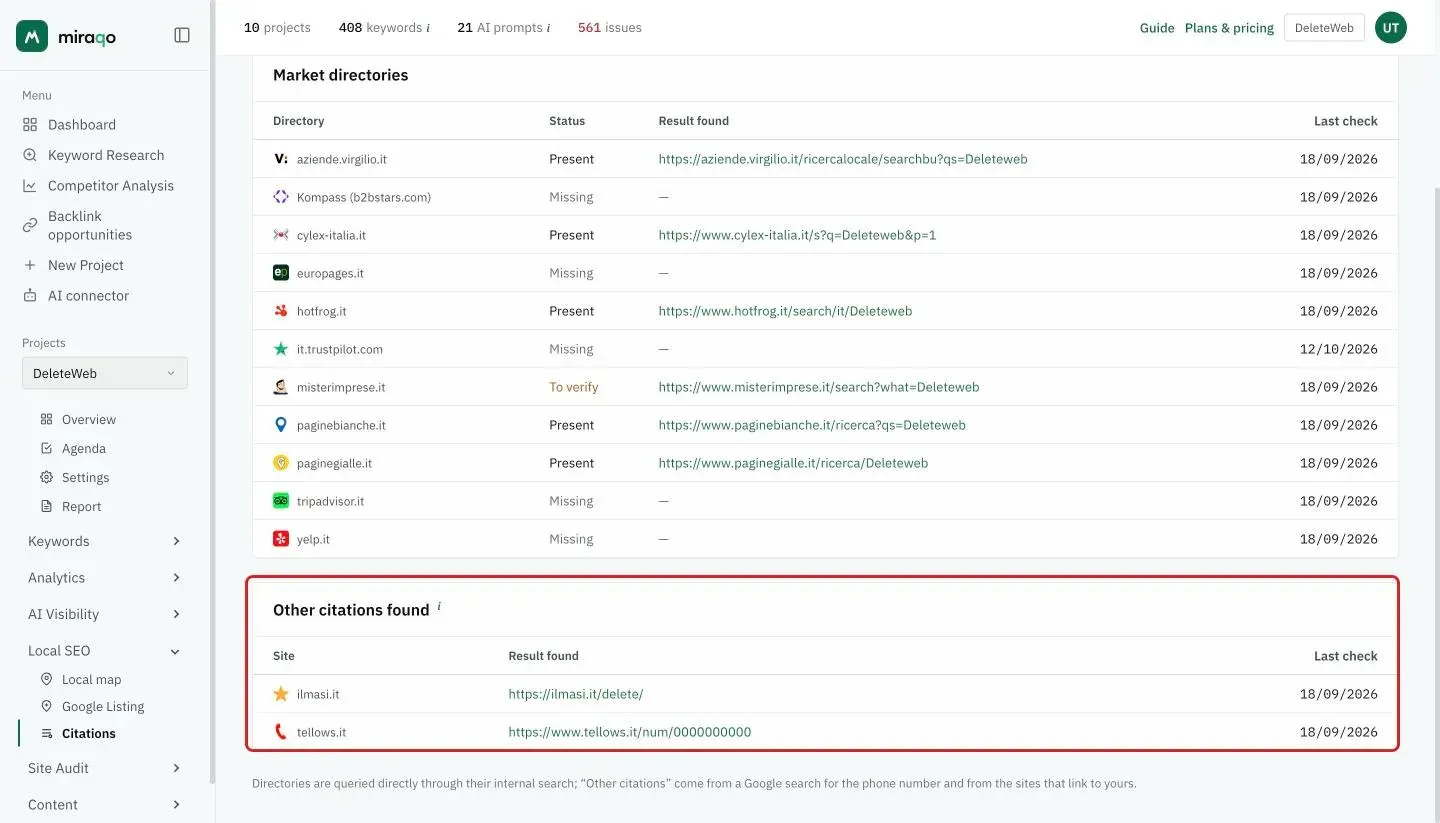
Below the table there’s a second list, and that’s where the surprises are: sites outside the directory list where your details turned up. They come from two independent routes. The first is a Google search for your phone number, which picks up smaller directories and trade portals. The second looks at the sites that link to yours — a directory that lists you almost always links to you too, and in that case we have the exact page to check instead of having to search for it.
Pages that aren’t directories at all can show up here. A blog mentioning you with address and number is a citation in every sense, and it counts as one.
What to do with all this
The order that works is this. Inconsistent NAP first, because it does active damage. Then To verify, which often resolves in thirty seconds by opening the link. Missing comes last, and not all of them deserve the same effort: one trade directory is worth ten generalist ones, and on some there’s no point being listed at all.
One last thing, plainly said. Miraqo does not manage your directory listings. It doesn’t create them, fix them or sync them. It tells you where you are, where you aren’t and where the details don’t line up — the edits are yours to make on the directory, which is also the only way they stay yours.
Last updated: 18 October 2026