Configure the project's SEO audit
Configuring the project's SEO scan — scheduling (manual or automatic, weekly/monthly), maximum number of pages, JavaScript rendering, URL inclusion/exclusion and parameters, thresholds for title/description/words and excluding individual checks from the score.
The Audit Settings control how Miraqo scans the site for this project: how many pages, whether to run JavaScript, which sections to include, when to start the scan on its own. You reach them from SEO Audit → Settings (breadcrumb Dashboard › Project › SEO Audit › Settings).
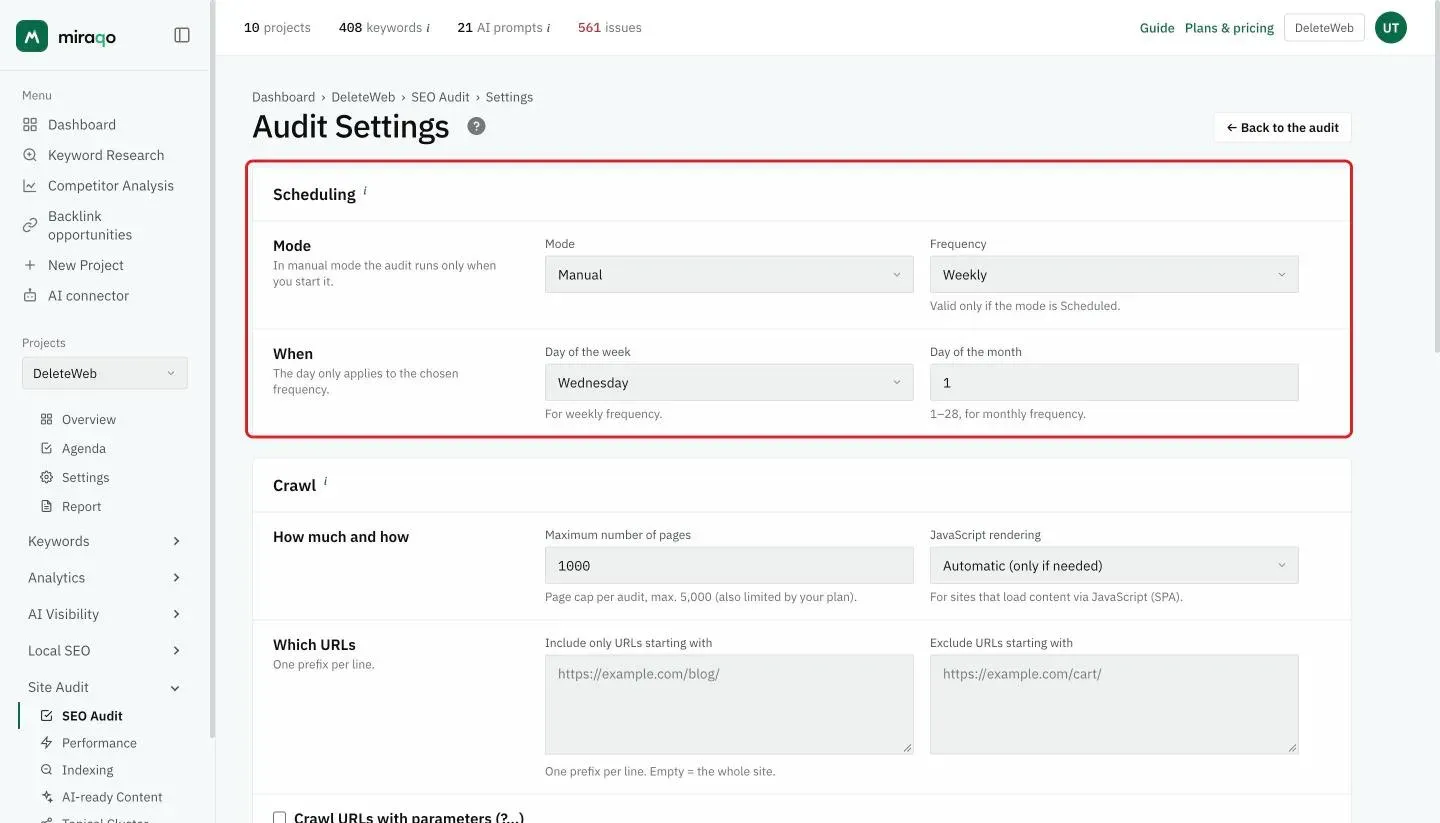
🗓️ Scheduling
Decide whether the audit starts manually or automatically.
- Mode — Manual (starts only when you click ▶ Start audit) or Scheduled.
- Frequency — Weekly or Monthly, with the matching day of the week or day of the month (1–28). Only applies in Scheduled mode.
When scheduling is active, below you see ⏰ Next run and the last one run. Each scheduled run consumes credits from the plan’s monthly budget (1 credit = 1 page with HTTP 200), exactly like a manual start.
🕷️ Crawl
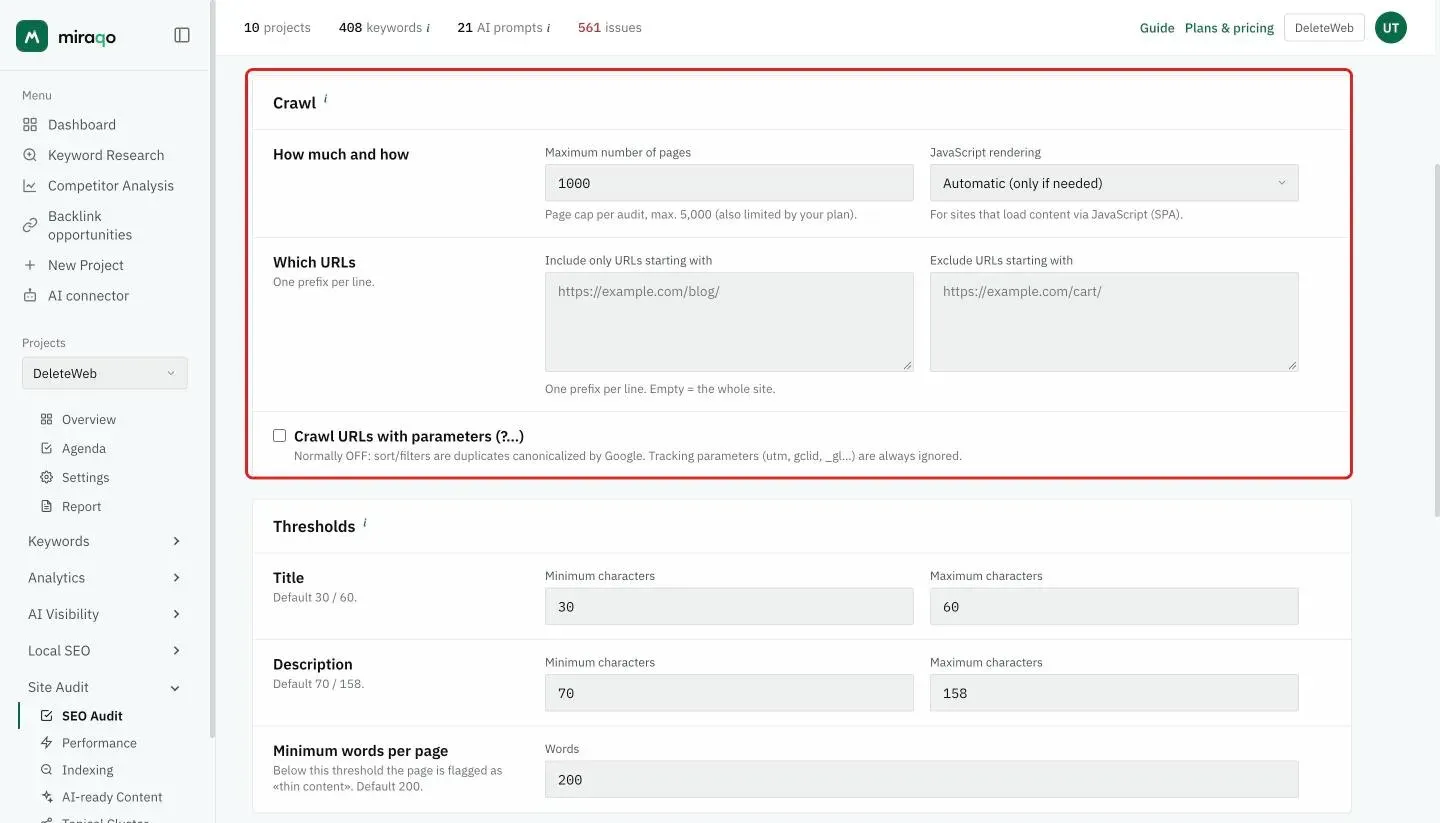
- Maximum number of pages — page cap for each individual audit (1–5000). The scan stops when it reaches this. This is distinct from the plan’s monthly credit budget (1 credit = 1 page with HTTP 200), which limits the total pages checked in the month across all audits.
- JavaScript rendering — Automatic (only if needed), Never or Always. Set to Always for sites that load content via JavaScript (SPAs, modern frameworks).
- Include only URLs starting with — one prefix per line. Empty = entire site. Useful for scanning only one section (e.g.
https://example.com/blog/). - Exclude URLs starting with — one prefix per line (e.g.
https://example.com/cart/). - Crawl URLs with parameters (?…) — normally OFF: sort and filter pages are duplicates that Google canonicalises. Tracking parameters (utm, gclid, _gl…) are always ignored.
Multilingual sites. One audit per language is no longer needed: the Topical Cluster separates languages on its own. The Include/Exclude prefixes remain useful to crawl a single language and save credits (e.g. include only
/en/). Details and cases (domains, subdomains, folders) in Auditing a multilingual site.
📏 Thresholds
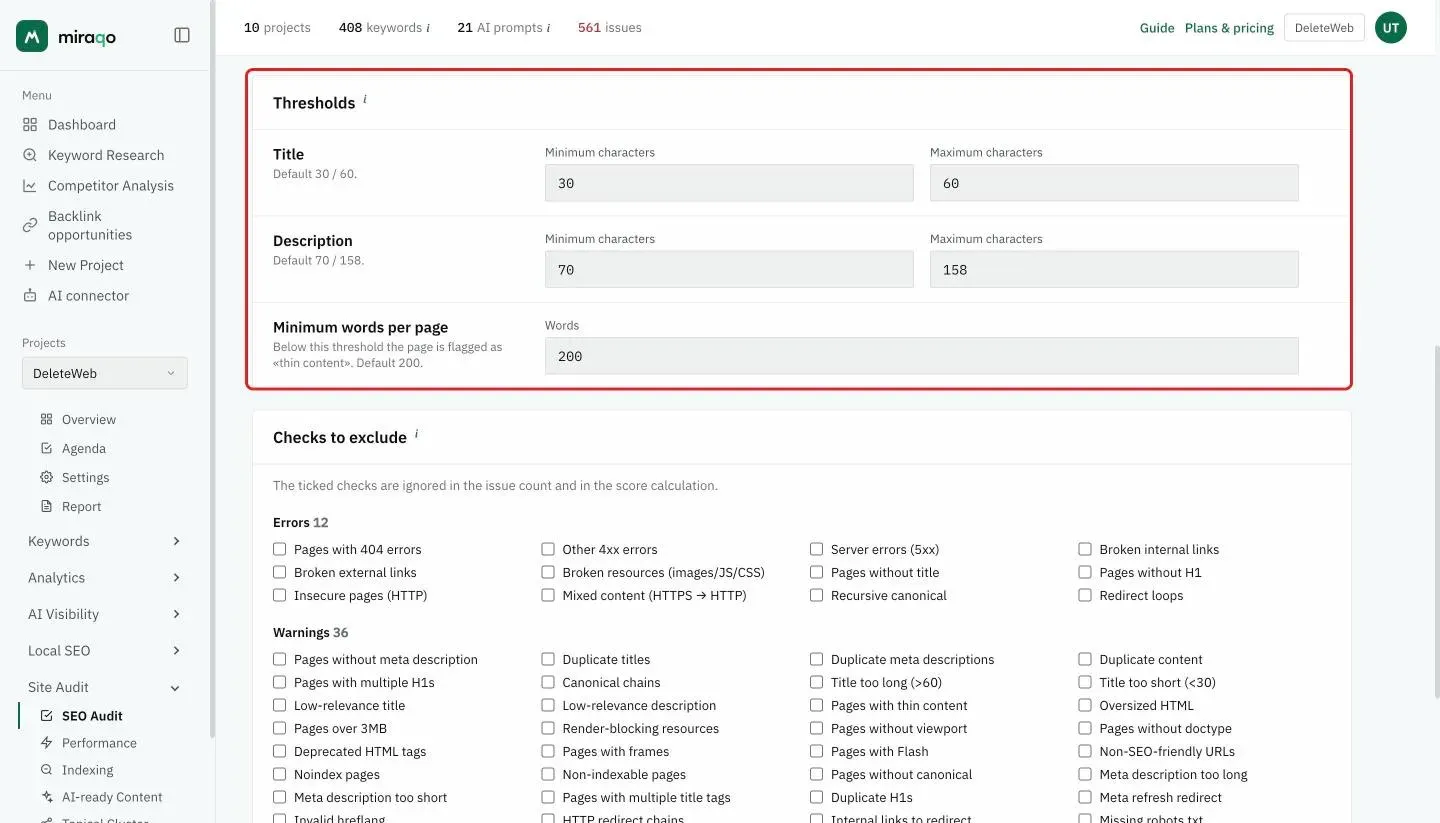
They customise when a meta tag or page is flagged. There are two min/max character pairs — Title (default 30/60) and Description (default 70/158) — plus the minimum words per page (default 200): below that threshold the page is flagged as “thin content”.
Changing thresholds immediately recalculates existing audits, without a new scan.
🚫 Checks to exclude
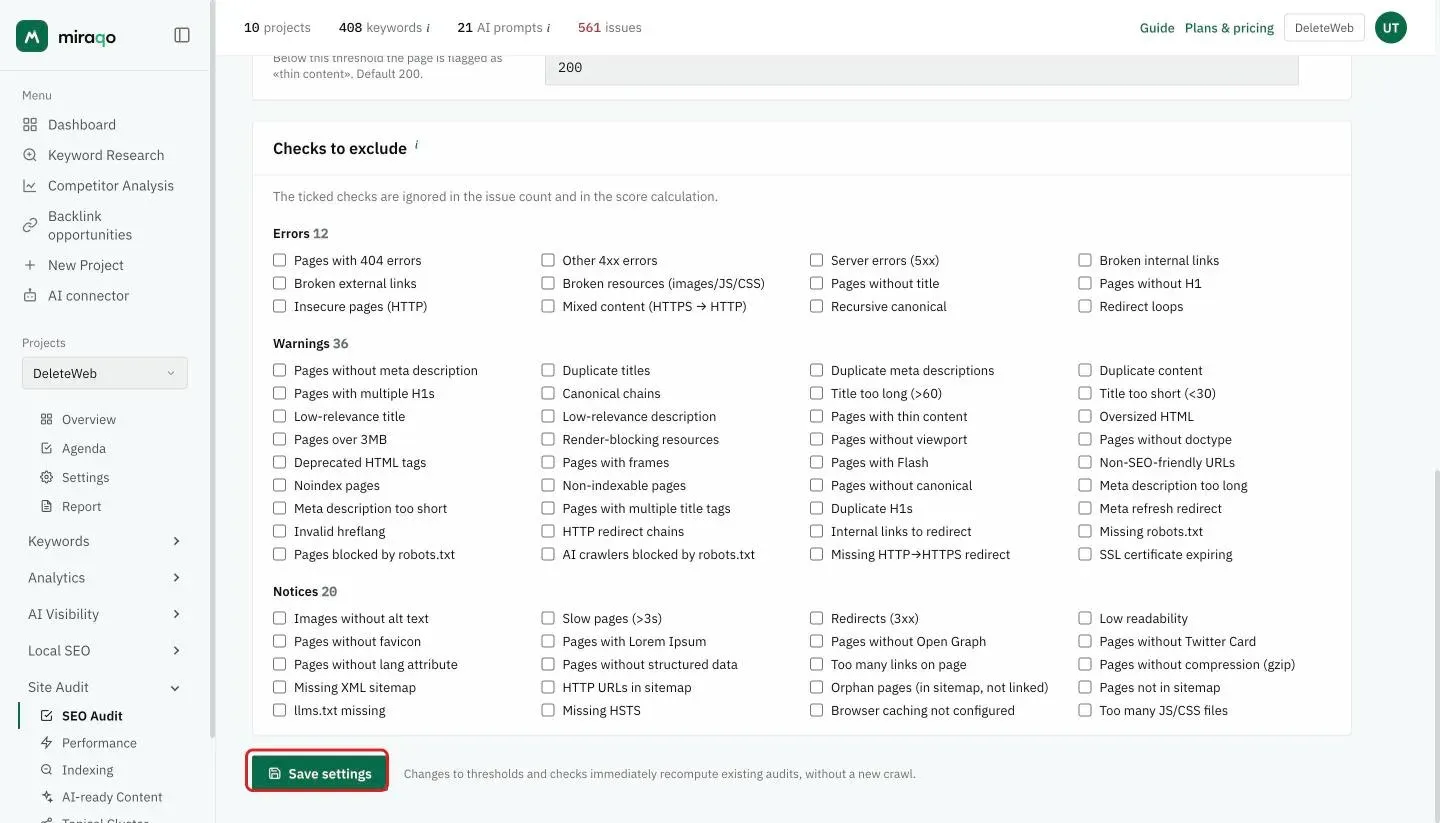
The checks are grouped by severity, as in the audit Issues: Errors, Warnings and Notices, each with the number of checks in the group. Tick the ones you don’t want in this project’s audit: they disappear from issues and don’t affect the score. Useful for silencing checks that aren’t relevant to your site (e.g. a warning you’ve decided to ignore). This change also applies immediately to existing audits, without re-scanning.
Save with 💾 Save settings.
See also:
- Run your first SEO audit → — reading the score and report tabs
- Audit blocked by Cloudflare or a firewall → — if the crawler can’t get in
- Auditing a multilingual site → — languages separated in the Topical Cluster, URL prefixes to crawl just one
- Topical Cluster → — the cluster map generated by the same audit
Last updated: 18 October 2026