Backlink analysis: profile overview
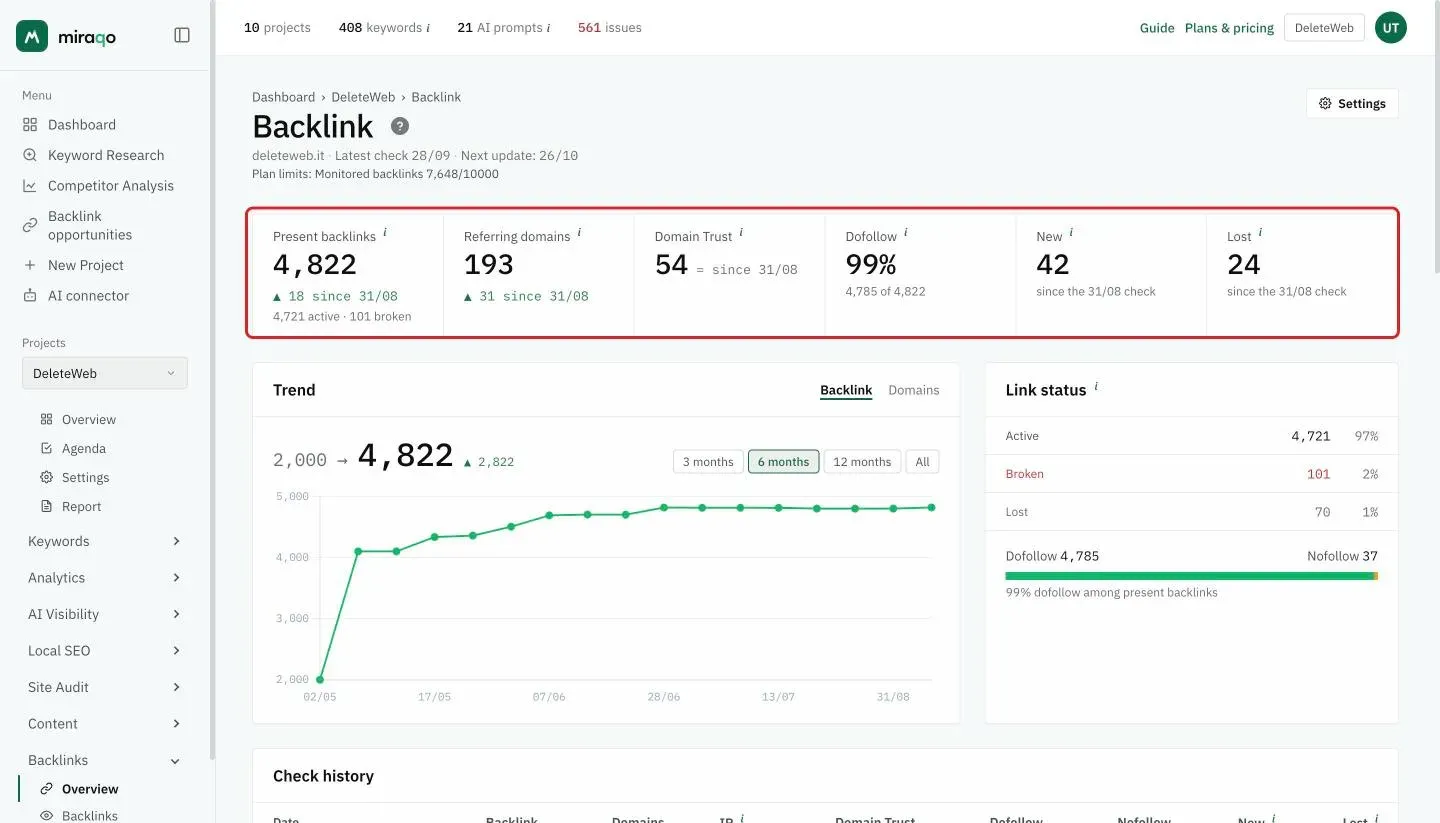
The project Backlink page — 6 figures (Present backlinks, Referring domains, Domain Trust, Dofollow, New and Lost since the last check), Trend chart, Link status box, detection history and AI analysis.
The Backlink page is the first of the 4 pages in the section (Overview → Backlinks → Domains → Anchor Text) and summarises the health of your incoming link profile at a glance. You reach it from the project → sidebar, group Backlinks → Overview. Below the title you find the date of the latest check and of the next update.
Domains > Links. 100 backlinks from 100 different domains are worth much more than 1,000 links from the same domain. Watch Referring domains first, then total links.
The 6 figures at the top
At the top, a row of six figures. The i next to each name explains what it counts.
- Present backlinks — counts all backlinks to the domain that are not lost — active + broken (broken = error, noindex or not yet verified): lost ones are excluded, they are no longer part of the profile. Below the number you see the “X active · Y broken” breakdown. On the Monitoring page the total is higher, because it also keeps the history of lost links. The arrow (▲/▼) shows the net change (new minus lost) since the last check (e.g. “▲ 18 since 31/08”). The link-by-link detail is in Backlinks (monitoring).
- Referring domains — distinct domains with at least one link still present, with the change since the last check. Domains that no longer link are only on the Domains page.
- Domain Trust — domain authority score (0–100 scale), with the change since the last check. Higher = stronger backlink profile.
- Dofollow — percentage of dofollow backlinks, with the numbers below (e.g. “4,785 of 4,822”).
- New — backlinks acquired since the last check.
- Lost — backlinks removed or no longer detected since the last check.
Trend and Link status
Below the figures, two boxes side by side:
- Trend — the chart of the evolution check by check. At the top right choose what to see, Backlink or Domains, and below the period (3 months, 6 months, 12 months, All). Above the chart you read the start and end value of the period, with the difference (e.g. “2,000 → 4,822 ▲ 2,822”).
- Link status — how many links are Active, Broken and Lost, with the percentage, and below the Dofollow / Nofollow bar. Here lost means everything in the archive, not just the latest check: that’s why the number can be higher than the Lost figure at the top.
Check history
Table with one row per detection (one every 4 weeks), most recent first. Columns:
| Column | What it is |
|---|---|
| Date | Day of the scan |
| Backlinks | Links present on that date (lost excluded) |
| Domains | Unique domains |
| IP | Distinct IPs of the source servers (proxy for network diversity) |
| Domain Trust | Domain authority (0–100) |
| Dofollow / Nofollow | Breakdown by attribute |
| New / Lost | Delta vs previous scan |
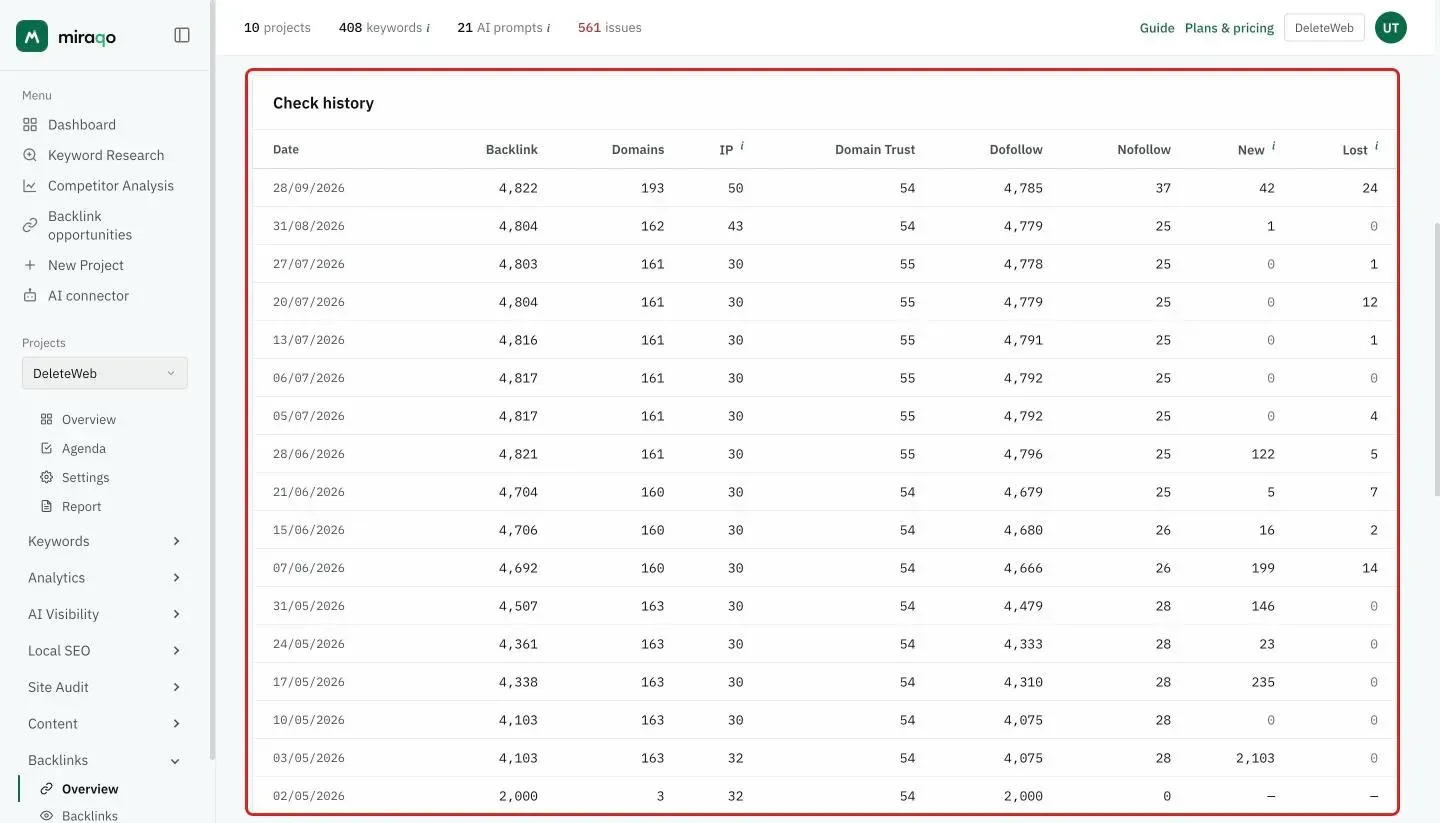
The history helps spot patterns: constant drops = natural link cleaning; spikes in new links from unknown domains = possible negative SEO (see Backlinks (monitoring) to filter suspicious ones).
Backlink Analysis (AI)
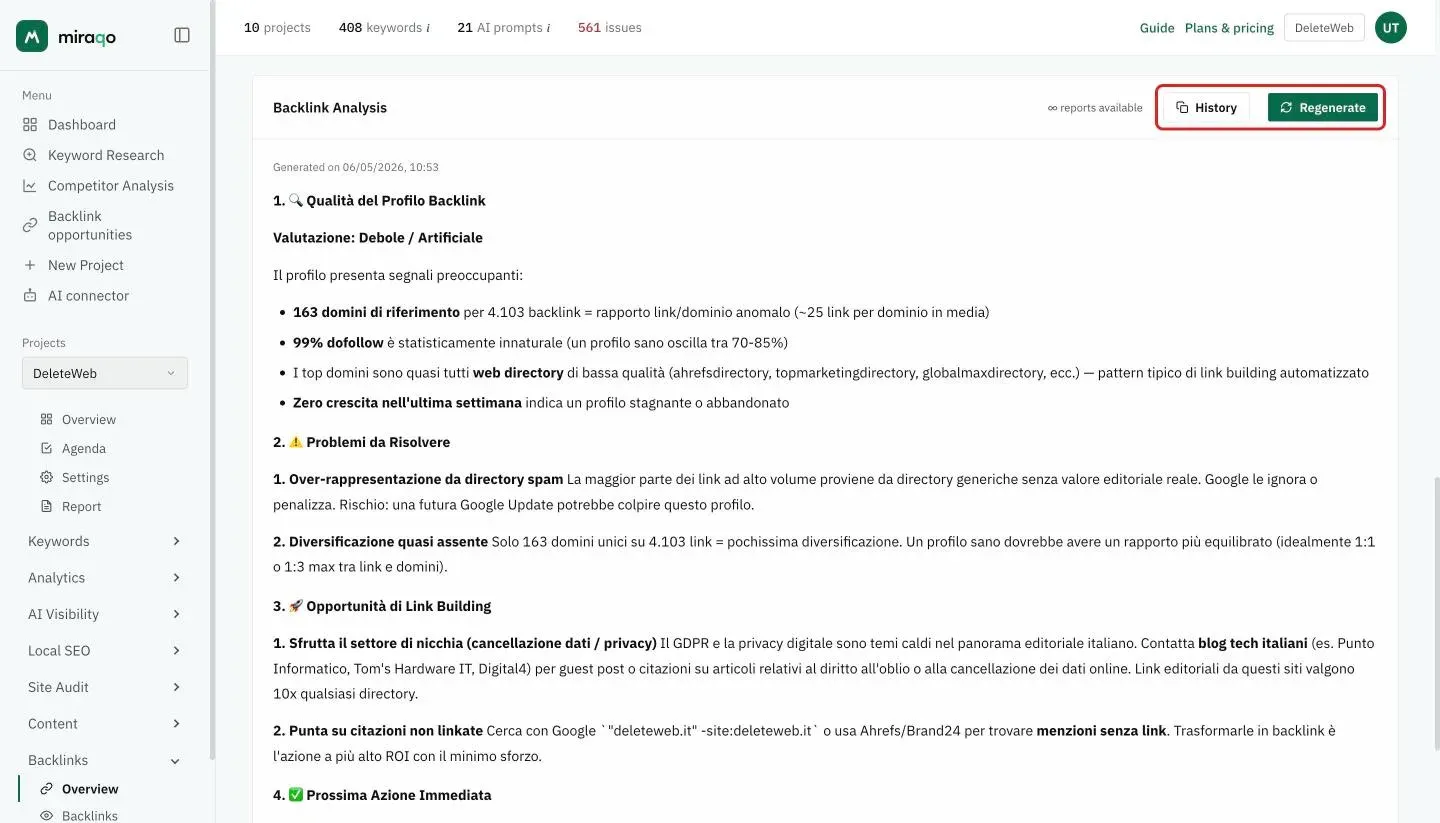
At the bottom of the page is the Backlink Analysis card: an analysis of the profile in natural language, split into profile quality, issues to fix, link building opportunities and next action. Next to the title you see how many reports you have left; Regenerate creates a new one on today’s data (it uses 1 report from the plan) and History opens the previous ones. Below the title is the date it was generated: if it’s old, the numbers it mentions no longer match the figures at the top.
Empty state (no data)
No snapshots yet? You’ll see “No backlink data available”. That’s normal: Miraqo collects backlinks automatically every 4 weeks, and the first snapshot starts on its own a few minutes after the project is added.
Update frequency
Backlink data updates every 4 weeks (28 days after the last detection), and that’s it: no manual refresh button. The 4-week window keeps noise low — providers take days to consolidate data — and respects the API budget.
See also:
- Backlinks (individual link monitoring) → — status, toxicity, disavow
- Referring Domains → — aggregate view by domain
- Anchor Text Ranking → — analysis of anchor texts
Last updated: 18 October 2026